My setup
Last updated: .
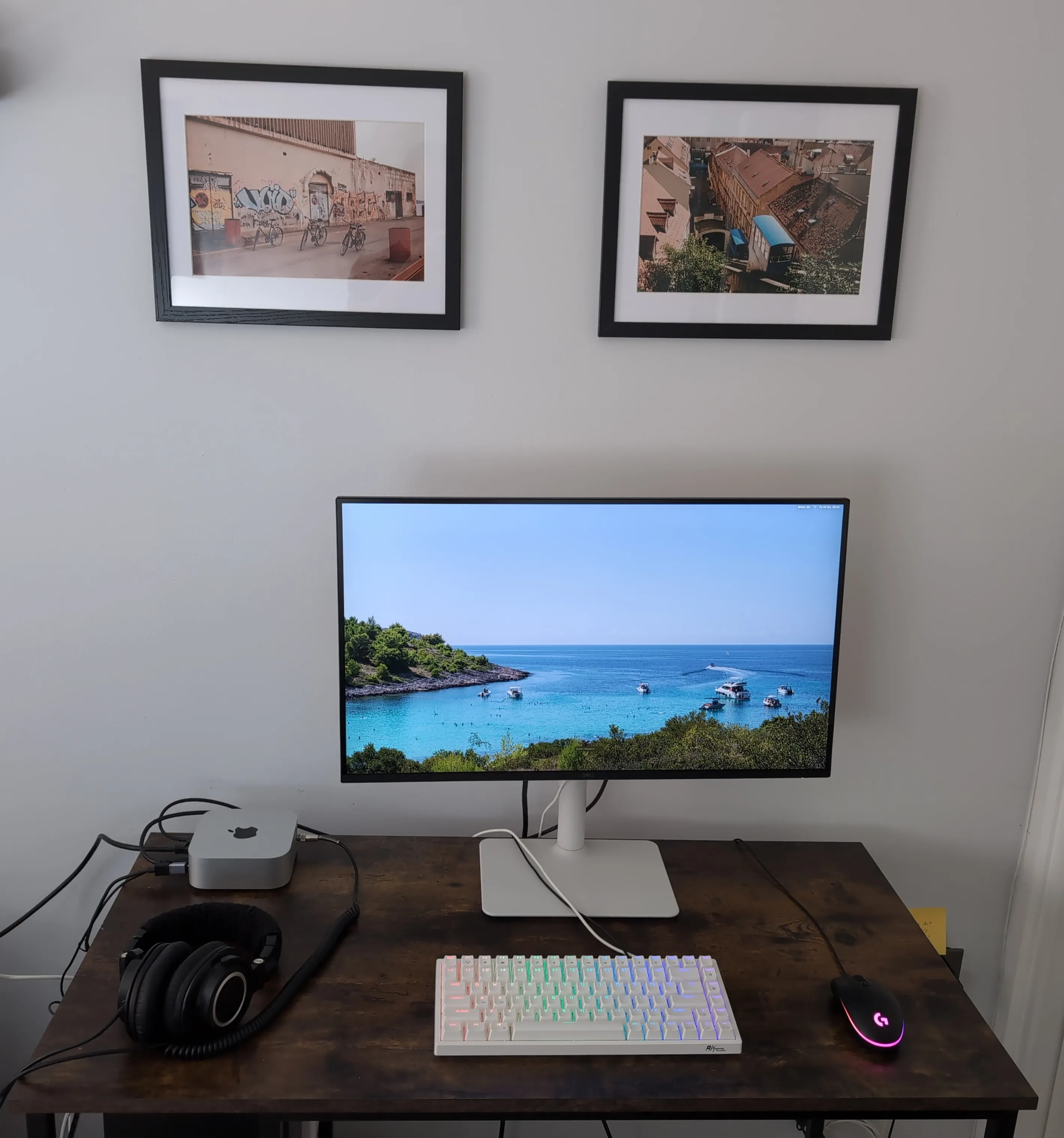
My desk
Computers
- Desktop: Mac Mini M4 — 32 GB RAM, 256 GB internal SSD, and 2 × 512 GB external SSDs
- Personal laptop: ThinkPad T14 — Intel Core i5-1145G7 (4 cores, 8 threads), 16 GB RAM, 256 GB SSD, NixOS 26.05
- Work laptop: MacBook Pro M4 — 32 GB RAM, 512 GB SSD
Desk & peripherals
- Monitor: Dell 27 Plus 4K USB-C Monitor — S2725QC
- Keyboard: Royal Kludge RK84 Wired RGB
- Mouse: Logitech G203 Lightsync Gaming Mouse
Homelab
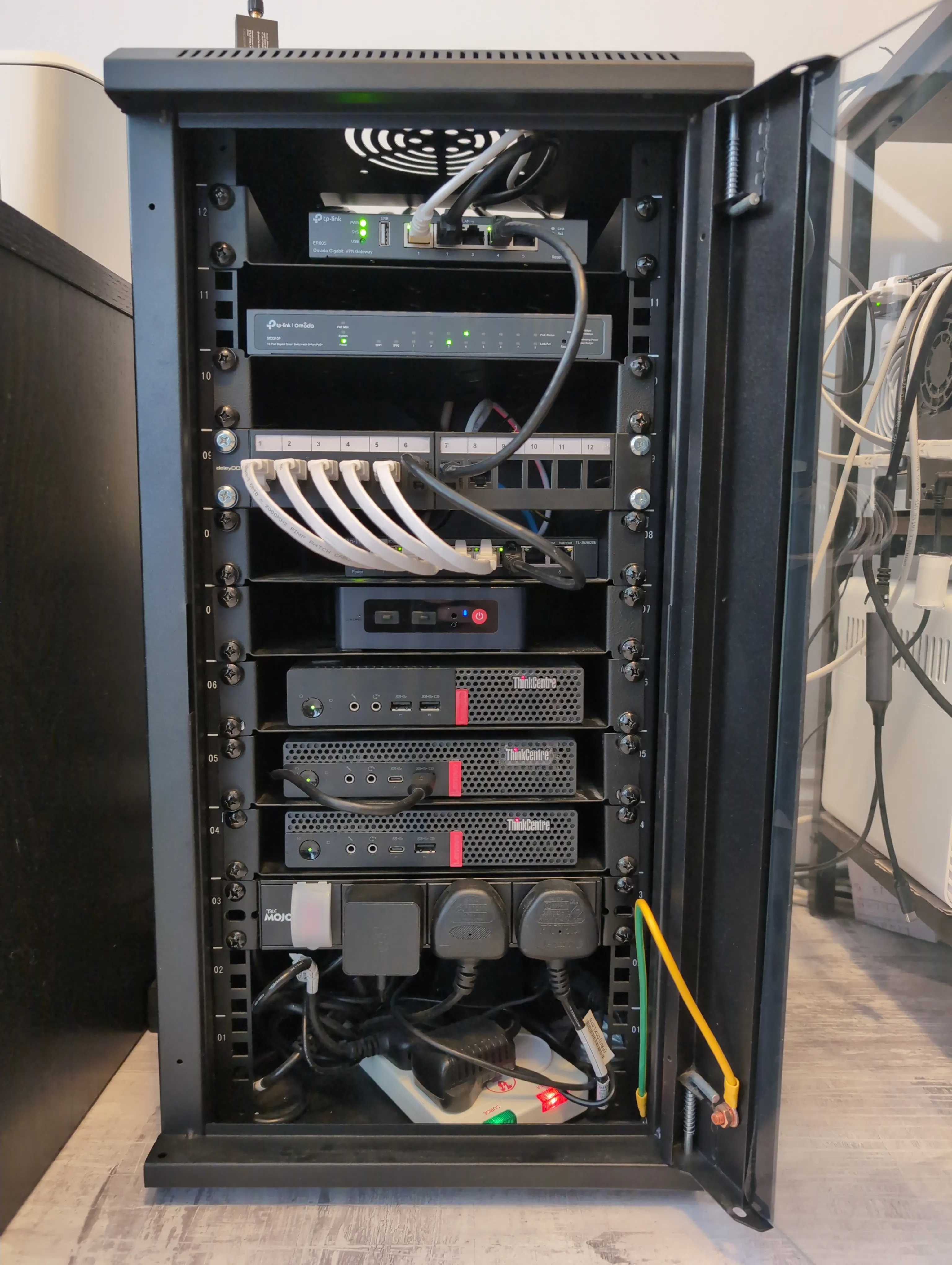
Hardware
box— Beelink S12, Intel N100 4 cores, 16 GiB RAM, 512 GB SSDsmol— Lenovo ThinkCentre M710q, Intel Core i5-6400T 4 cores, 8 GiB RAM, 240 GB Intel SSDasahi— Lenovo ThinkCentre M720q, Intel Core i3-9100T 4 cores, 16 GiB RAM, 256 GB WDC NVMe SSDlenny— Lenovo ThinkCentre M720q, Intel Core i3-9100T 4 cores, 16 GiB RAM, 256 GB WDC NVMe SSD
The above four hosts run Proxmox VE.
-
rpi— Raspberry Pi 4 B, 4 GiB RAM, Ubuntu Server -
Rack: 12U 300x300 mm
Network & layout
-
Router: TP-Link ER605
-
Primary switch: TP-Link SG2210P
-
Additional switches: TP-Link SG608E, TP-Link SG108S
-
Access point: TP-Link EAP650
-
Controller: Omada Software Controller, running on the Mac Mini via Docker
-
Networks:
- Admin
- Homelab
- Trusted wifi
- Untrusted wifi
Storage
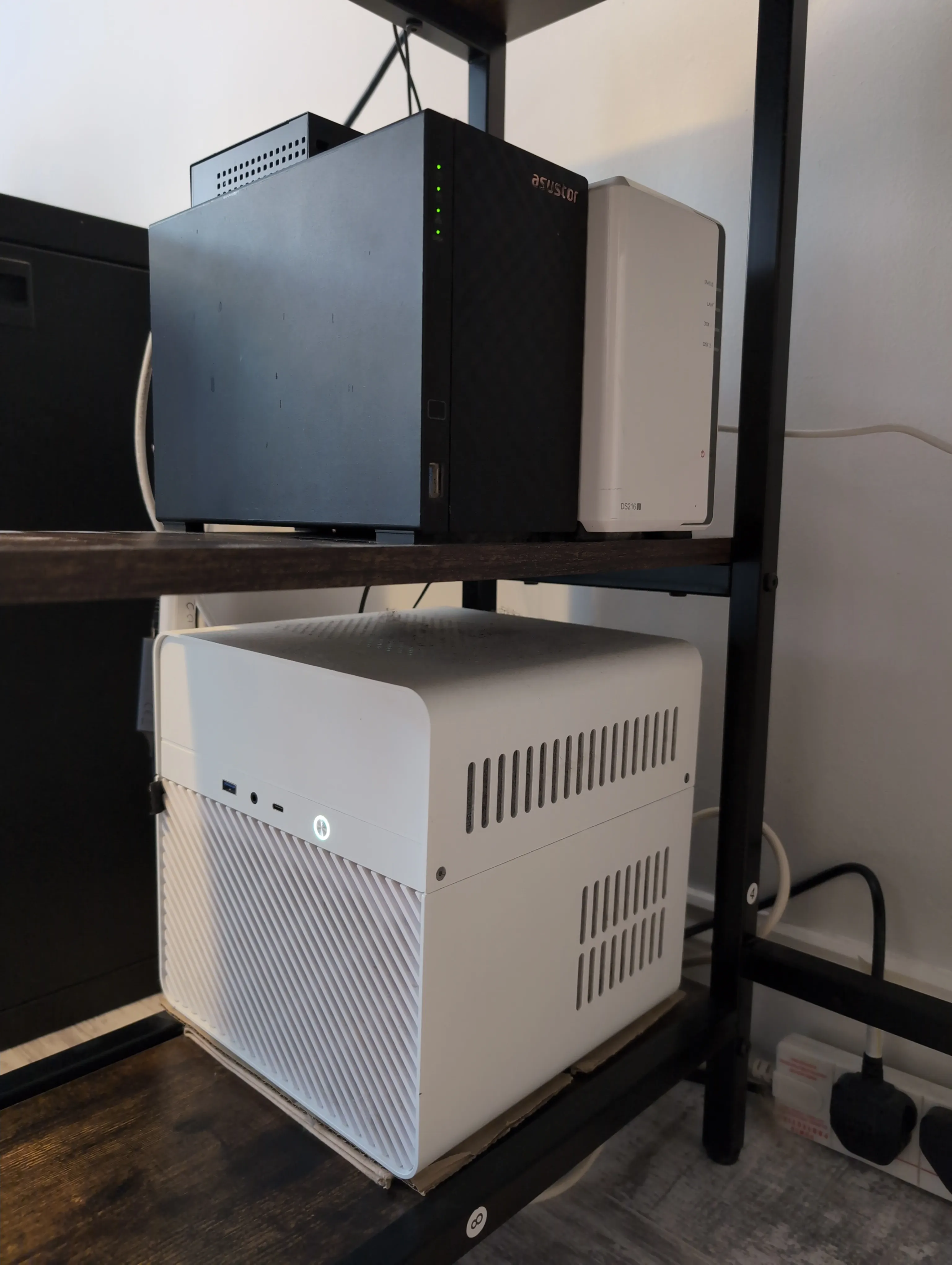
Primary NAS
Custom-built NAS running TrueNAS SCALE. Specifications from my Jonsbo N2 NAS build.
- Case: Jonsbo N2
- CPU: AMD Ryzen 3 3100 — 4 cores, 3.6 GHz base clock
- Motherboard: ASRock A520M-ITX/ac
- RAM: 16 GB Timetec Hynix DDR4-2400 unbuffered ECC
- Boot drive: Patriot P320 256 GB NVMe SSD
- Storage: 4 × 4 TB Toshiba N300 HDDs
- Pool: RAIDZ1 — 10.44 TiB usable capacity
- Power supply: SilverStone ST30SF 300 W SFX
Backups
- Backup NAS: Asustor AS1102T — 2 × 6 TB drives, RAID 1
- Second backup NAS: Synology DS216J — 2 × 3 TB drives, RAID 1
For off-site backups, I use Backblaze B2.
Services & configuration
Services
- AdGuard Home — DNS and network-wide ad blocking
- Audiobookshelf — Audiobook and podcast library
- Baikal — Calendar and contact synchronisation via CalDAV and CardDAV
- beets — Music library management and tagging
- Beszel — Server monitoring
- Caddy — Reverse proxy and automatic HTTPS
- FreshRSS — RSS and Atom feed reader
- Gitea — Git hosting
- Hermes Agent — AI assistant
- Home Assistant — Home automation and energy monitoring
- Immich — Photo and video library
- Omada Software Controller — Network management
- Pinchflat — YouTube media management
- Plex Media Server — Media server
- Prowlarr — Indexer management
- Restic — Encrypted backups
- SABnzbd — Usenet downloads
- slskd — Soulseek client
- Syncthing — File synchronisation
- Tailscale — Remote access to my homelab
My NixOS configuration lives on Codeberg.
Power & running costs
I monitor two separate plugs through Home Assistant: one for the homelab rack and another for my desk (NAS, Mac Mini, and monitor).
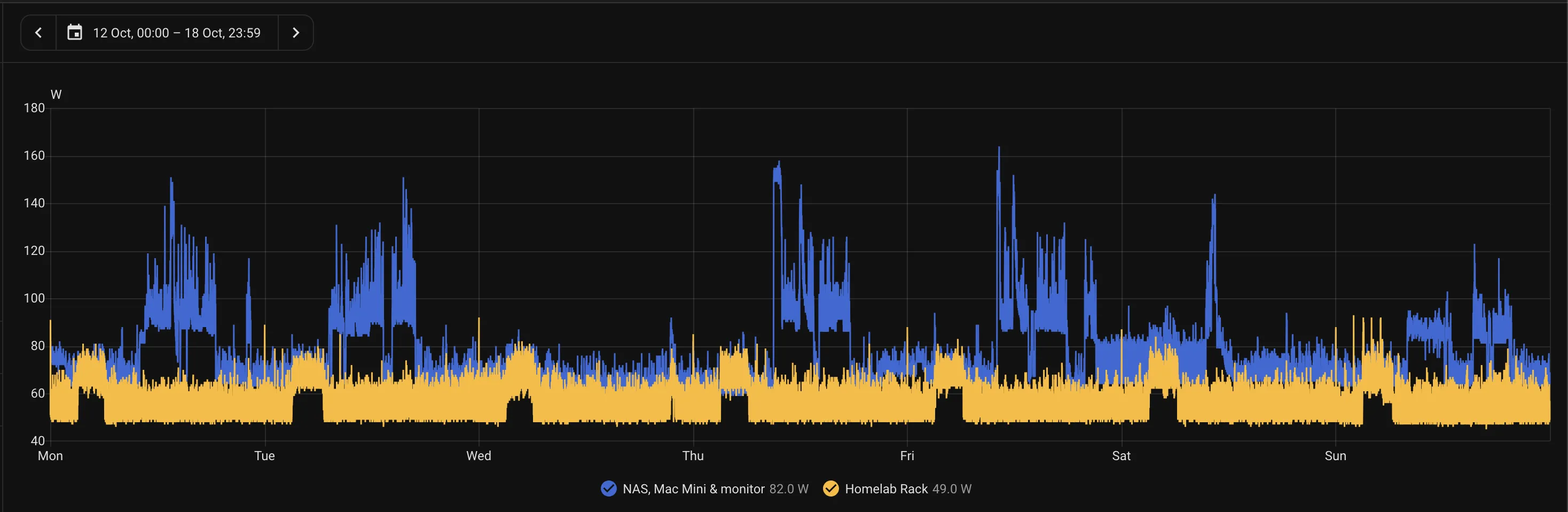
Weekly consumption
Using the first and last available cumulative energy readings for 12–18 October 2026:
| Equipment | Energy used | Electricity cost |
|---|---|---|
| Homelab rack | 9.250 kWh | £2.14 |
| NAS, Mac Mini & monitor | 12.355 kWh | £2.86 |
| Combined | 21.605 kWh | £5.01 |
That is an average combined draw of approximately 129 W, costing about 72p per day. If usage stayed similar, it would cost approximately £21.47 over 30 days.
Costs use my electricity rate of 23.183p/kWh. The daily and 30-day costs are estimates based on this week, rather than separate measurements. They exclude the household standing charge of 42.91p/day, which is payable regardless of whether this equipment is running.